StillsSpace

For film and digital · macOS · Windows · Linux

Every photo and every roll,
on one desk.

StillsSpace keeps your photos in one library, digital, RAW and scans alike, and handles the file work around them: names, metadata, quick edits. If you shoot film, it also follows every roll from the fridge to the scanner and remembers which lens you used on frame 23. It runs on your computer, works offline and needs no account.

The beta is free and your feedback is welcome. You also hear first when it launches. No spam; reply to any of our emails and your address is deleted. See the privacy policy.

Questions or ideas? Join us on Discord.

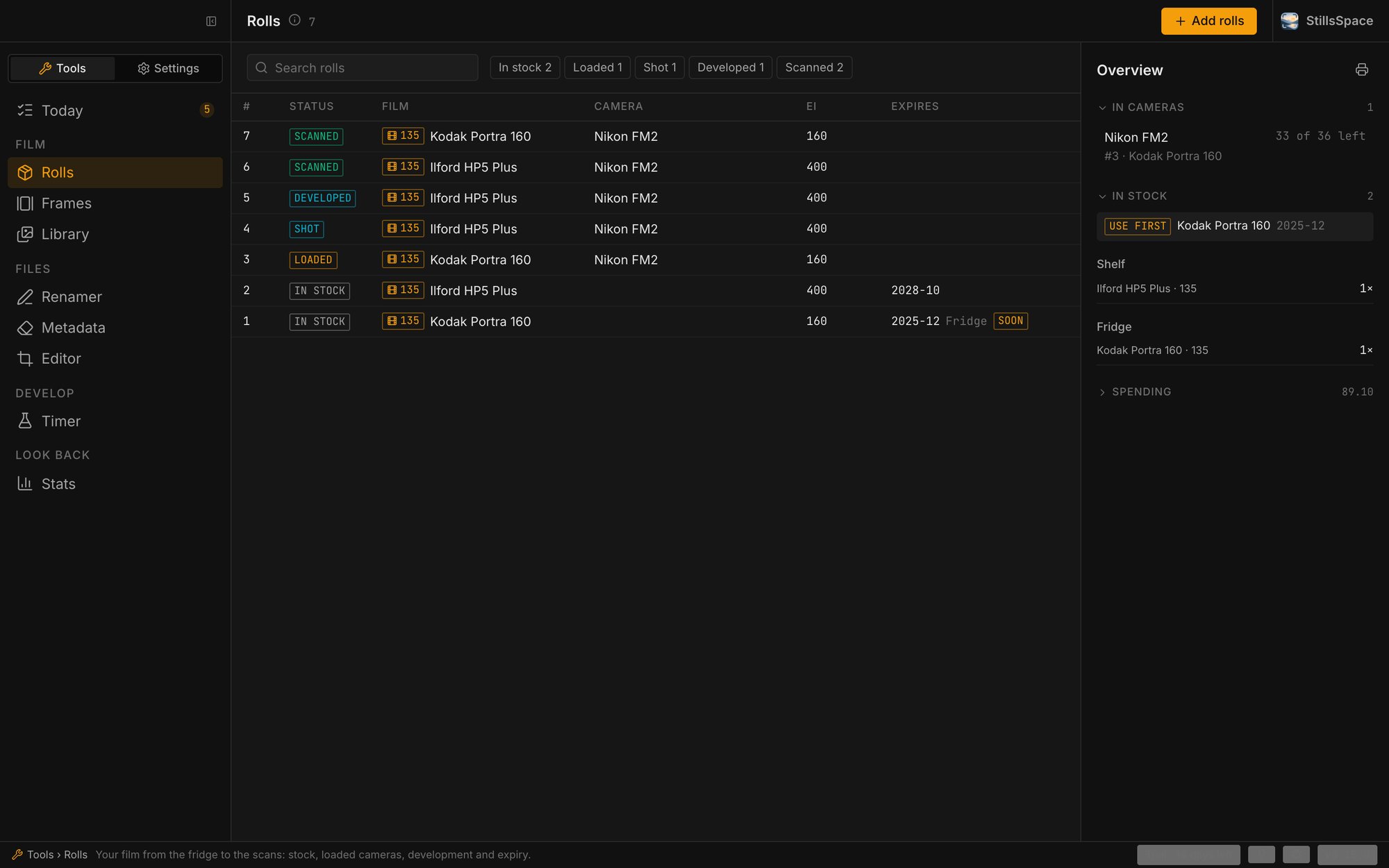
Rolls: seven rolls from in stock to scanned, with stock and spending on the side
Rolls Every roll and where it is: shelf, fridge, camera, tank, scanner.

01 ▸ Before you shoot

Know what is waiting.

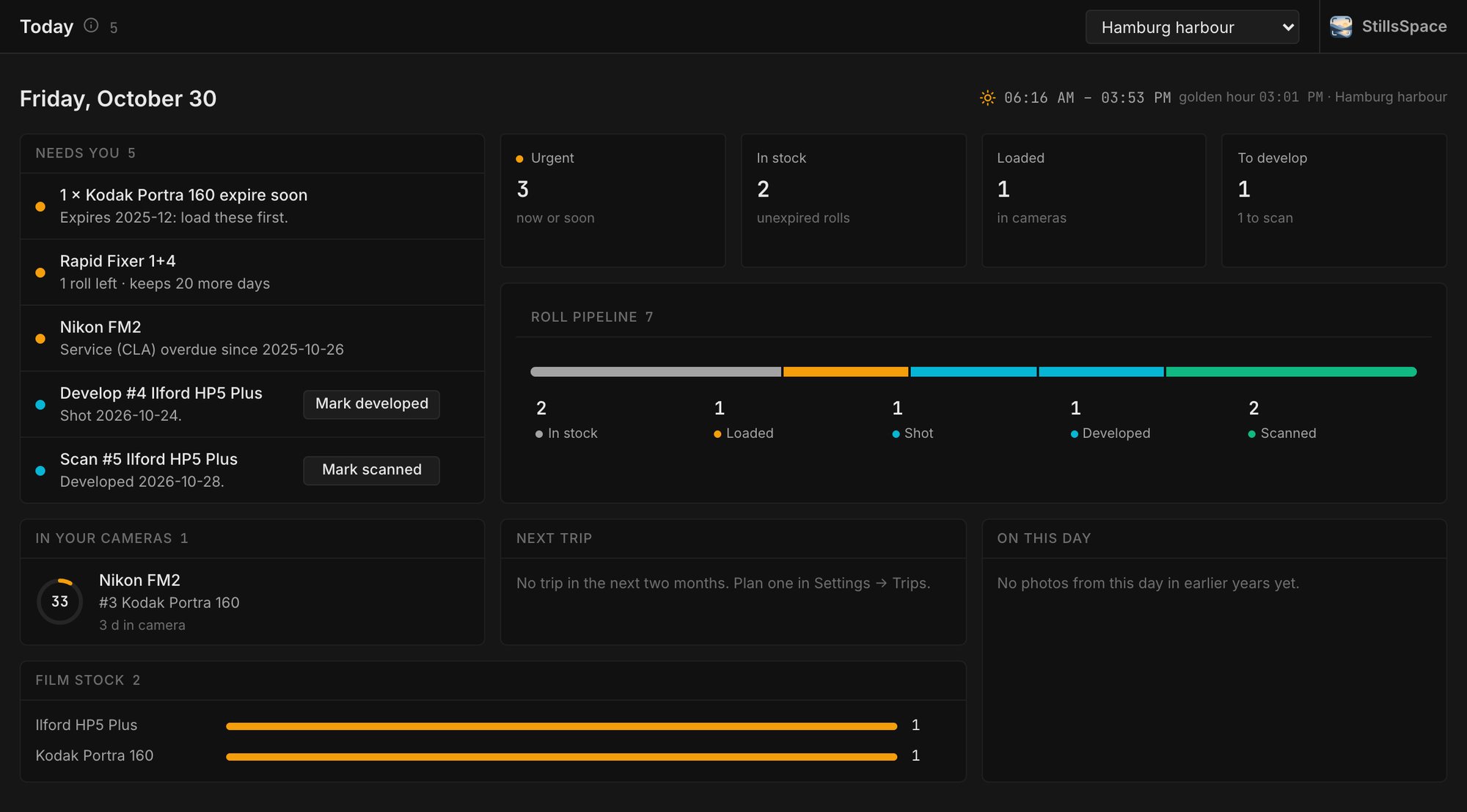
TodayOne list for everything that needs you.

Film that expires soon, rolls waiting for the tank, scans nobody has rated, fixer that is nearly spent, a camera overdue for its CLA. Each line is a click away from the fix.

  • Expiring film
  • Rolls to develop & scan
  • Chemistry left
  • Gear service
Today: expiring film, rolls to develop, scans to rate, chemistry and gear due

02 ▸ On the roll

Every frame keeps its story.

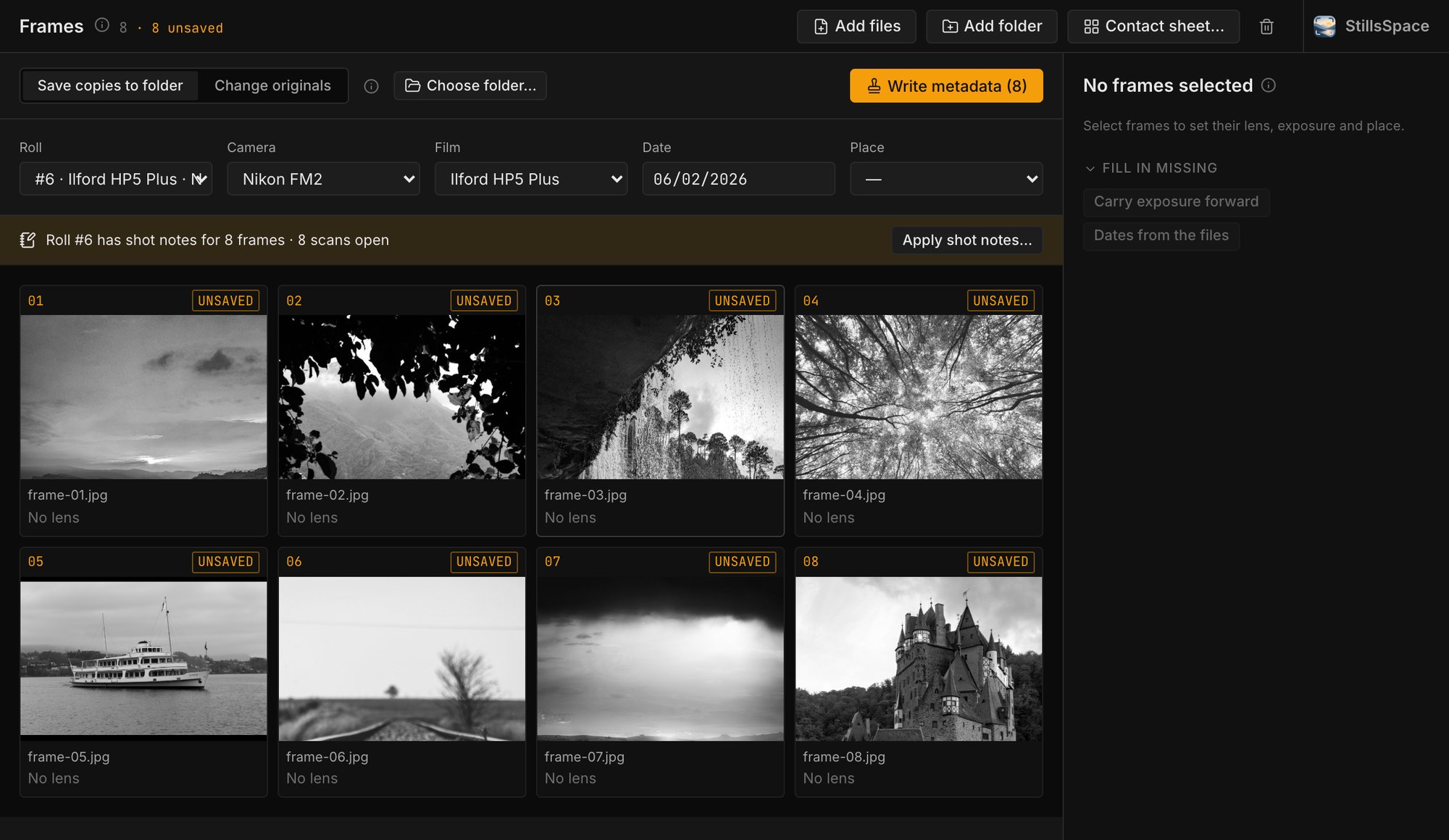
FramesThe roll as a contact sheet.

Load a roll's scans, pick camera, film and date once, then lens, aperture, shutter and place frame by frame. Shot notes from your phone fill most of it in. Written into the files as EXIF, or into .xmp sidecars next to RAW files.

  • Per-frame lens & exposure
  • GPS from your places
  • EXIF or XMP sidecar
  • Backup before writing
Frames: eight black-and-white frames of a roll with camera, film and date

03 ▸ In the darkroom

A timer that knows your recipes.

TimerDeveloper, stop, fix, wash.

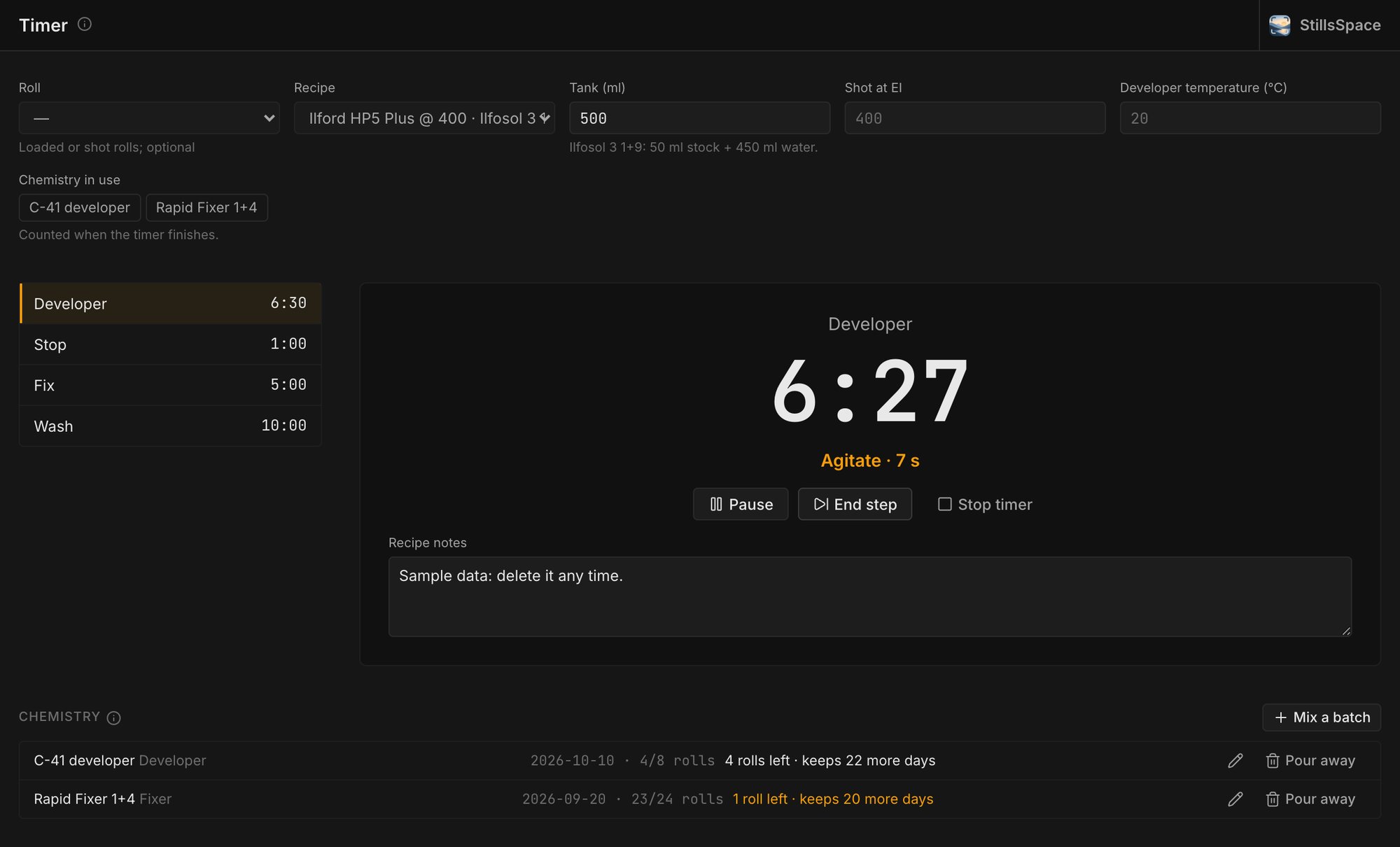
Pick the roll and the recipe fills in every step. Push, pull and temperature adjust the time, the dilution is worked out for your tank, and it tells you when to agitate. Each roll counts against the chemistry you mixed.

  • Push / pull
  • Temperature compensation
  • Agitation cues
  • Chemistry batches
Timer: developer step running at 6:27 with an agitate cue

04 ▸ Every photo

One library for all your photos.

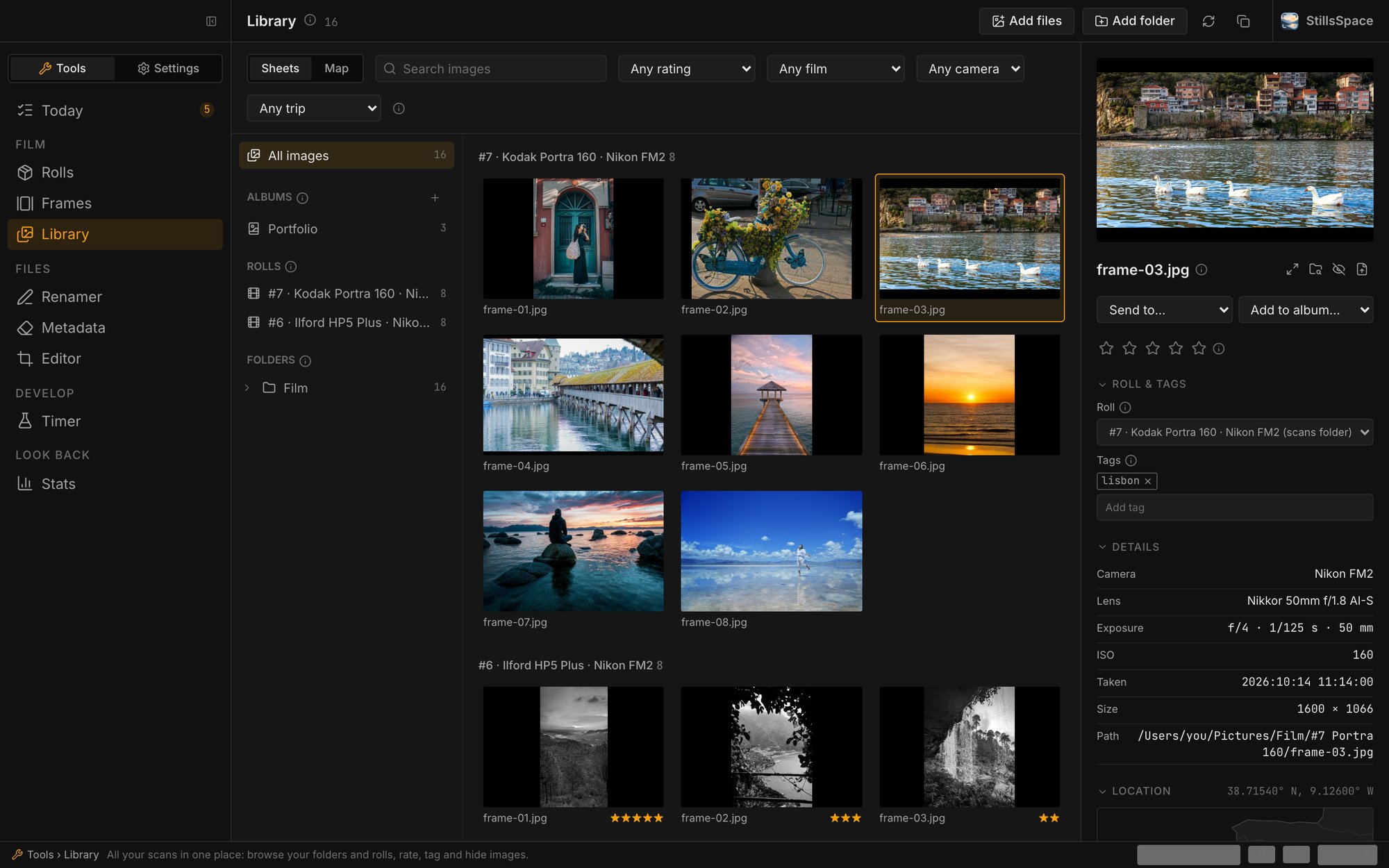
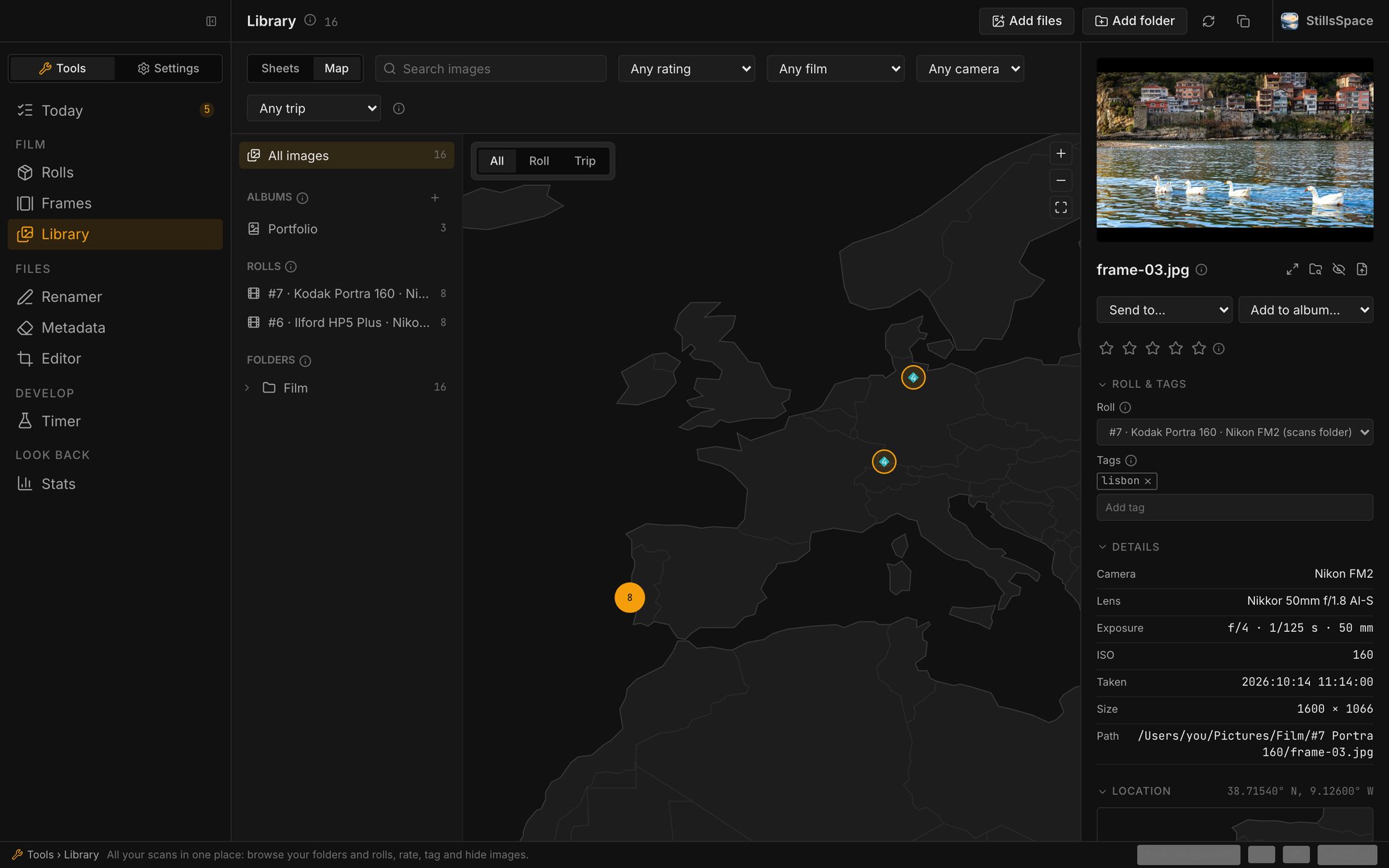
Scans, digital camera files and RAW, in the folders you already have. Library reads them where they are, groups them by roll, trip or album, and puts them on a map. Nothing is copied or moved.

Library: contact sheets grouped by roll, with the selected frame's details
Contact sheets per roll, with camera, lens and exposure for every frame.
Library map: photos placed on an offline map of Europe
The same photos on an offline map.
  • Film scans, digital and RAW files
  • Folders, rolls, trips and albums
  • Ratings, tags and search
  • Offline map from GPS
  • Side-by-side compare
  • Duplicate finder

05 ▸ At the desk

Clean files, good names.

RenamerIMG_4120 becomes something you can find.

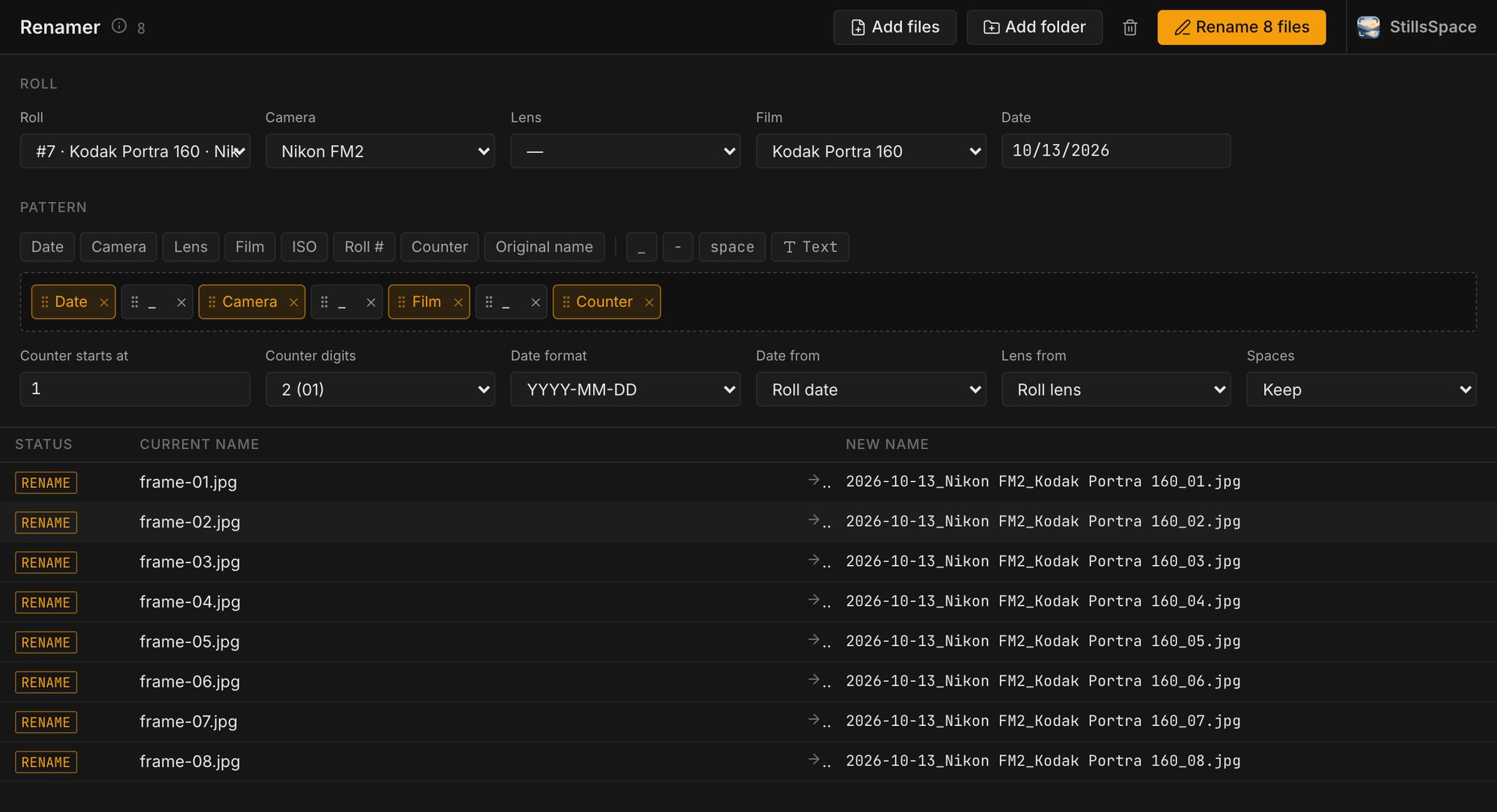
Drag date, camera, lens, film and a counter into a pattern. Every name is checked first, then all files are renamed or none.

  • Drag-and-drop pattern
  • Preview of every name
Renamer: eight files with their new names from date, camera, film and counter

MetadataShare a photo, not your location.

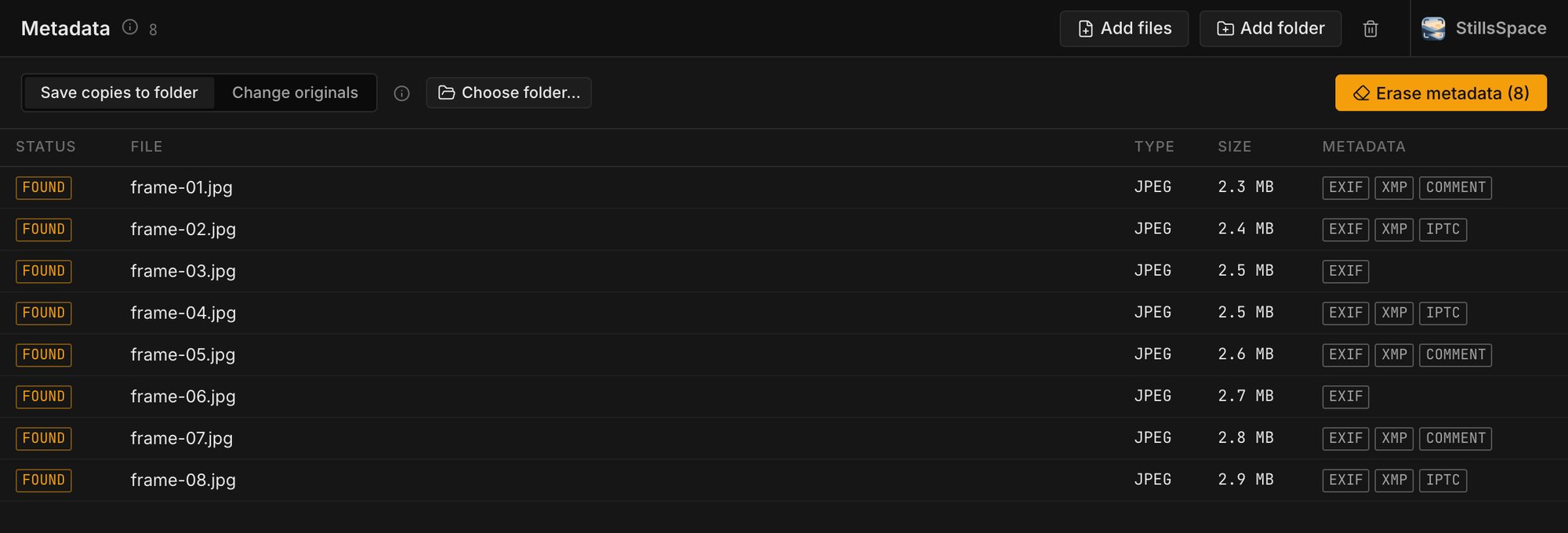
See which files carry EXIF, XMP or IPTC and strip it without re-encoding the image. JPEG, PNG, WebP, TIFF and HEIC.

  • Lossless
  • Copies or originals
Metadata: eight JPEGs with EXIF, XMP and IPTC found

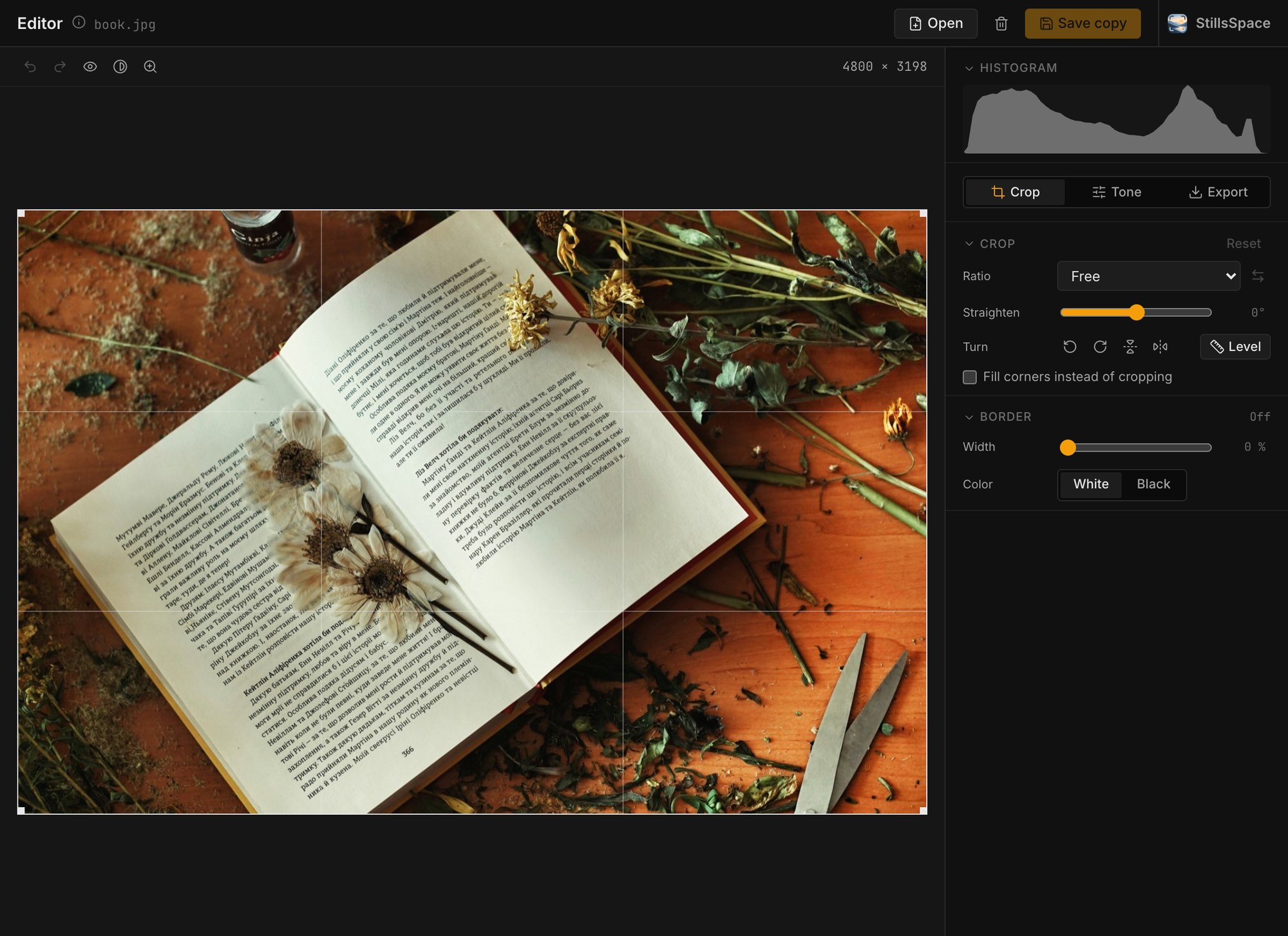
EditorThe everyday fixes, without a big editor.

Crop, turn, straighten and level, set tone and CMY filtration, invert negatives, add a border and resize. Light presets for sun, shade or tungsten. Saves copies and keeps EXIF and colour profile; RAW files open through their preview.

  • Invert negatives
  • Histogram & clipping
  • Saved presets
  • 100 % with panning
Editor: a scan with crop grid, histogram and geometry controls

06 ▸ Looking back

Your year, in film.

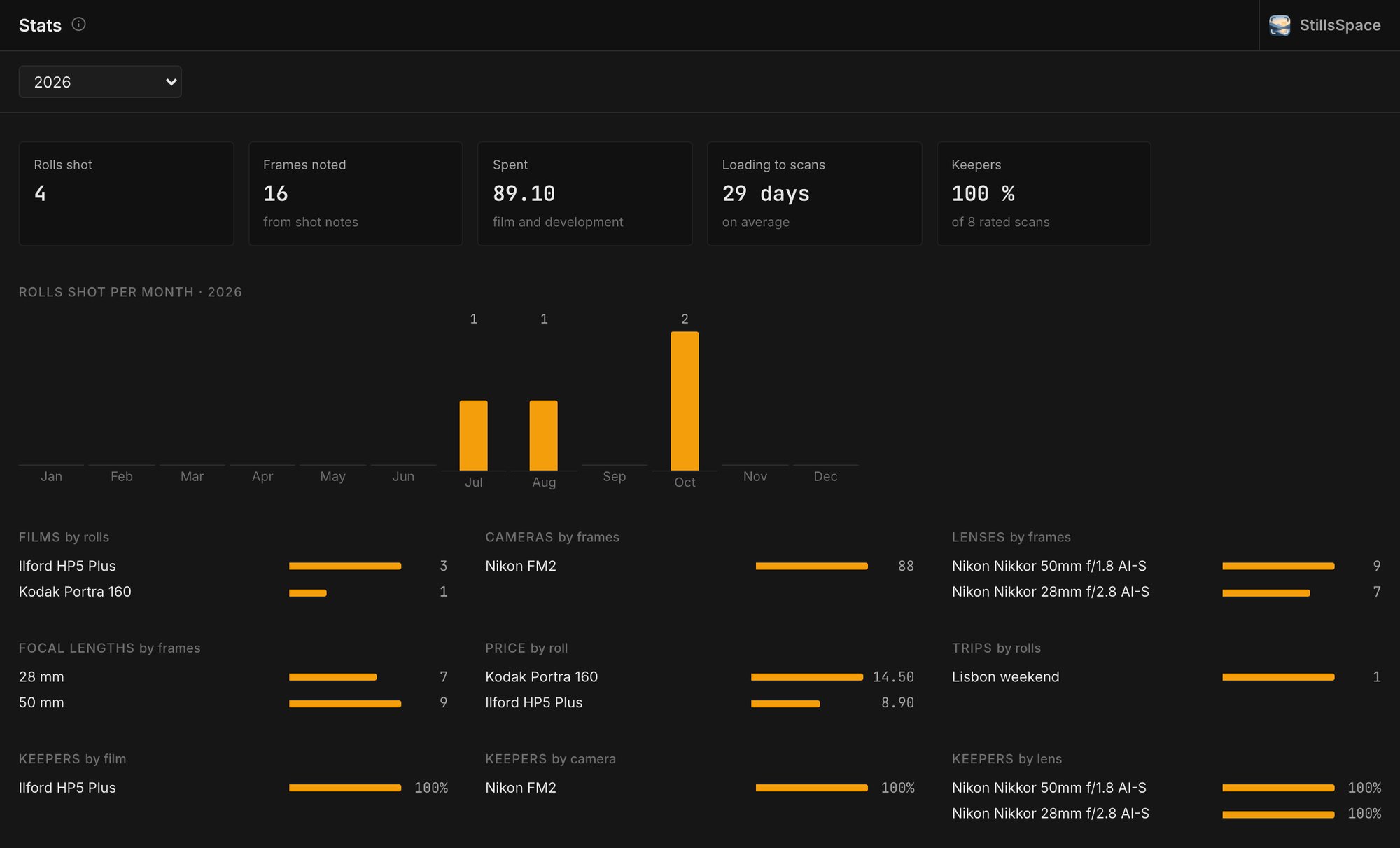
StatsWhat you actually shoot.

Rolls per month, what film and development cost, which films, cameras, lenses and focal lengths you reach for, how long a roll waits before it is scanned, and how many frames make the cut.

  • Rolls per month
  • Spending
  • Most used gear
  • Keeper rate
Stats: rolls shot, spending, days from loading to scans, keeper rate and rolls per month

Your gear, set up once

Settings hold what every tool shares, so you never type a camera or film twice.

Gear
Cameras with lens mounts, lenses, a maintenance log.
Film stocks
Popular films built in, with reciprocity. Add your own formats.
Recipes
Developer, dilution, temperature and time per film and EI.
Places & trips
Sunrise and golden hour per place, rolls grouped by trip.

Offline. Everything works without a connection. Nothing is uploaded.
Your files. Data sits in a folder on your disk, backed up daily.
Careful. Originals get a backup before they change. RAW files are never written.

Pricing

Try it for 14 days.
Then pay once.

No subscription. Use every tool for 14 days; only days you open the app count. If it earns a place on your desk, buy a license and keep it.

Price at launch

  • All tools and settings
  • macOS, Windows and Linux
  • Works offline after activation
  • 14 days of use free, no card needed
Get beta access

On sale at launch. Until then the beta is free: join the waitlist and early testers get a beta license key by email.

Questions

Is this a subscription?

No. You pay once and the license is yours.

What happens when the trial ends?

The app asks for a license key. Your rolls, gear and notes stay where they are.

Do I need an internet connection?

Only once, to activate the license. After that everything runs offline.

Does it replace Lightroom?

No. It handles the film side: stock, development, notes and naming. Edit your scans wherever you like; StillsSpace writes the metadata they need.